|
1
|
- WWW Forensics
- CERT 2002
- Amit Klein
- August 7, 2002
|
|
2
|
- The Facts Reviewed: The Real World…..
- Preparing for the Worst
- So you’re under Attack
- Analyzing the Attack: The Micro and Macro view
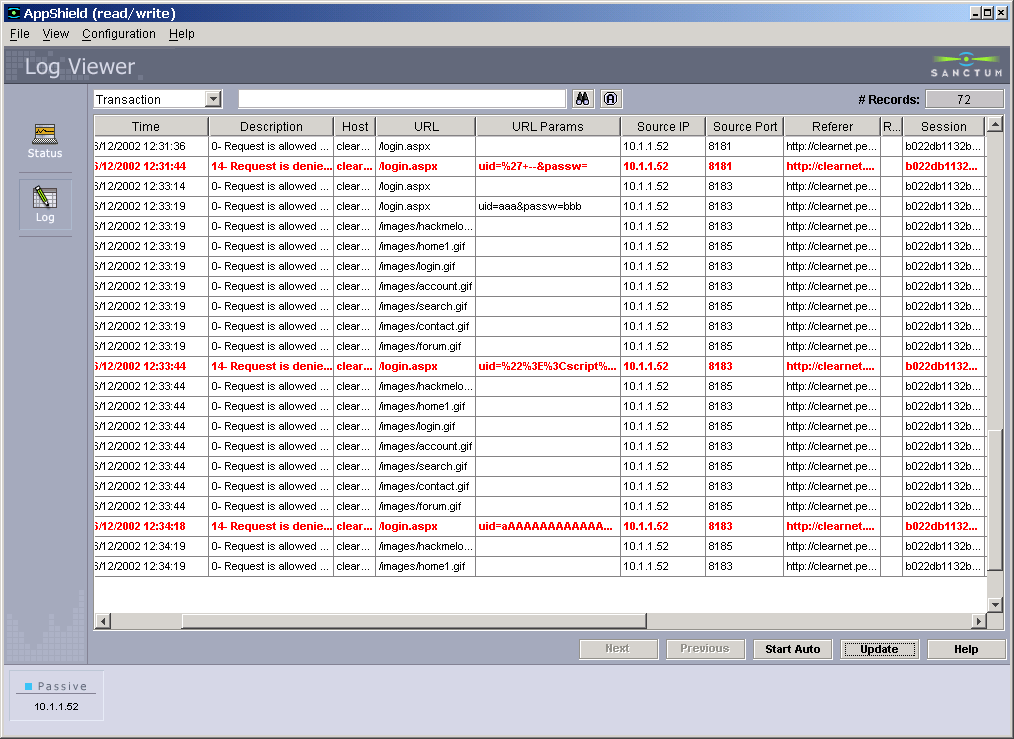
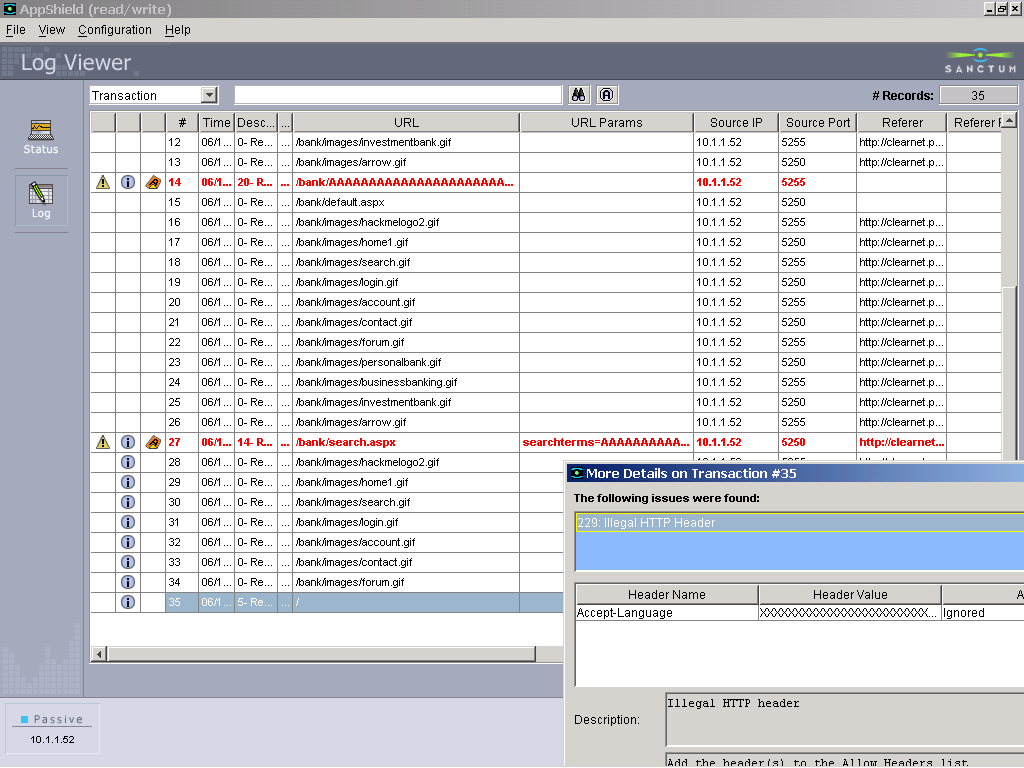
- Demonstration of Automated logging and reporting
- Conclusion (and recommended reading)
|
|
3
|
- Code Red infected 359,000 servers in less than 14 hours – at the peak,
it infected more than 2,000 new hosts/minute – estimated cost? $2.6B (Computer
Economics)
- Within 24 hours of NIMDA hitting, 50% of the infected hosts went offline
(CNet)
- 1 vulnerability exists in every 1500 lines of code (IBM’s Watson
Research Lab) ; Windows XP has 45M lines of code; MS code lines double
every 866 days….(Gartner; N.Myrhvold)
- $18 billion in sales is expected to be lost due to concerns about online
security in 2002 (FTC)
- 90% of large companies experienced some sort of security breach in 2001,
including virus infections, Web site vandalism, credit card fraud and
theft of company secrets (CSI/FBI)
|
|
4
|
|
|
5
|
|
|
6
|
|
|
7
|
|
|
8
|
- Damage control
- Countermeasures
- Prevention
|
|
9
|
- Deductive reasoning and analysis
- Putting the pieces of the puzzle together
- The knowledge to identify attack patterns
- Identifying the separate pieces
|
|
10
|
- Focus on the applications:
- HTTP (less concerned about other protocols)
- Knowledge about the site and applications
- Ability to recognize abnormal behavior
- Some idea of attacker behavior
- Attackers will tailor attacks to exploit specific application
vulnerabilities
- There are various attack sources (with different characteristics)
- True hackers
- Scanners (script kiddies)
- Worms
|
|
11
|
|
|
12
|
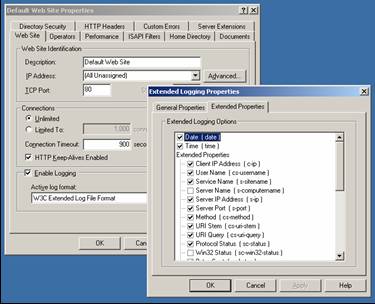
- Where it all begins: the logs (where the evidence lies…)
- Logs are imperfect
- Do not store 100% of the information
- Default configurations are often incomplete
- Special characters may not be displayed correctly
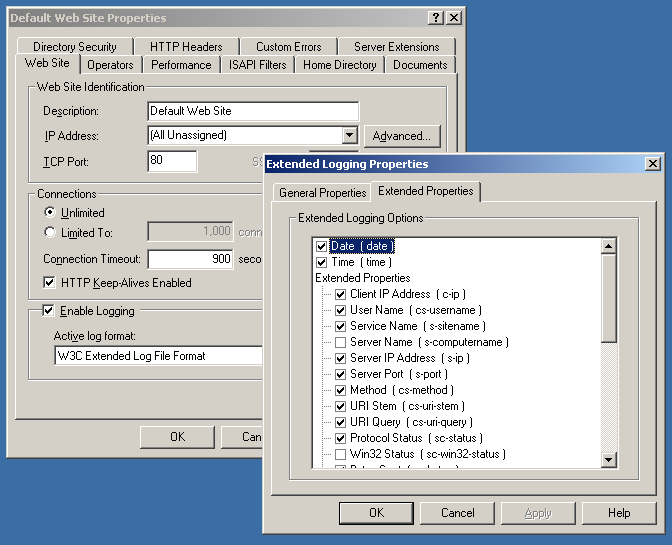
- Turn on all possible log entries
- Date/time
- Client IP address
- Query
- All HTTP Headers
- Etc…
|
|
13
|
- Different data sources deliver different critical information:
- Firewall
- Proxy server
- Load balancer
- Web server
- Application server
- Application (custom) logs
- System logs (O/S)
- IDS
- Application firewall
|
|
14
|
- Default logging:
- Source host, “user”, first-line, status, byte sent. Missing: remote
port, virtual host, HTTP headers, processing time, connection status
- Maximum logging:
- LogFormat "%t %h:%{REMOTE_PORT}e -> %A:%p (%v) : %l %u
\"%r\" \"%{Content-Type}i\"
\"%{Content-Length}i\" \"%{Referer}i\"
\"%{User-Agent}i\" \"%{Cookie}i\" %>s %T %b %c“
- Still missing: some HTTP headers, reliable source port, POST
parameters.
- Note: source port available only with CGI invocation
- Consider using ScriptLog logging (will be useful only for CGI errors)
|
|
15
|
- Default:
- Source IP, “user”, server IP:port, first-line, status, User-Agent.
- Missing: virtual host, Cookie, Referer, processing time, bytes sent,
bytes received, Win32 status
- Maximum (W3C format) –
- No source port (!)
- No HTTP headers (except User-Agent, Cookie, Referer)
- POST parameters.
|
|
16
|
|
|
17
|
- Detect changes in important files, such as configuration files
(httpd.conf, log files etc.)
- Watch for changes in web documents, date/time and MD5 checksums for
special files.
- Requires keeping reference information like dates and checksums
- Keep important data out of web root
- Database files, customer files, session files
|
|
18
|
- Protecting the logs
- Make it harder for the hacker to cover their tracks
- Holding real-time/one-way copy of log
- Keep log file different, protected server
- Sanitizing log files
- Avoid being hacked while logging attacks, such as log spoofing attacks
and format string attacks
- Sanitize user input before log insertion - block attacks trying to
erase logs by sending special characters (like the ASCII value of
backspaces)
- Remove other special characters
- e.g. ‘%’ used to run ‘format string attack’ on logging utility such as
syslogs functions
|
|
19
|
- “True” Hackers, Script Kiddies, and Internet Worms share the goal of
disrupting your site, but their methods are vastly different……
- For each tool/technique:
- – learn to identify the trace
it leaves, and as a bonus –
- check your system...
- Scanners
- download freeware/evals, run against your system
- Hacking tools
- Try them against your site. Easy? Difficult?
- Browse your site
- learn how good traffic looks like in the logs
|
|
20
|
|
|
21
|
|
|
22
|
|
|
23
|
|
|
24
|
- The HTTP Referer
- Format:
- Referer: http://www.my.site/cgi-bin/login.pl?id=12345
- Sent by browser for “normal flow” requests
- Can be used to identify attacks
- False positive: Javascript generated links, some (rare) browsers
- False negative: smart hackers
|
|
25
|
- So You’re Under Attack...
|
|
26
|
|
|
27
|
|
|
28
|
- Collect files needed (logs, scripts/servlets), config, system files
- Wear gloves
- Divide and conquer – analyze by sessions, IPs
- Analyze requests (develop and use automatic tools): suspicious
characters, HTTP methods, paths, ...
- Analyze sessions: how does the session look, flow, speed
|
|
29
|
|
|
30
|
|
|
31
|
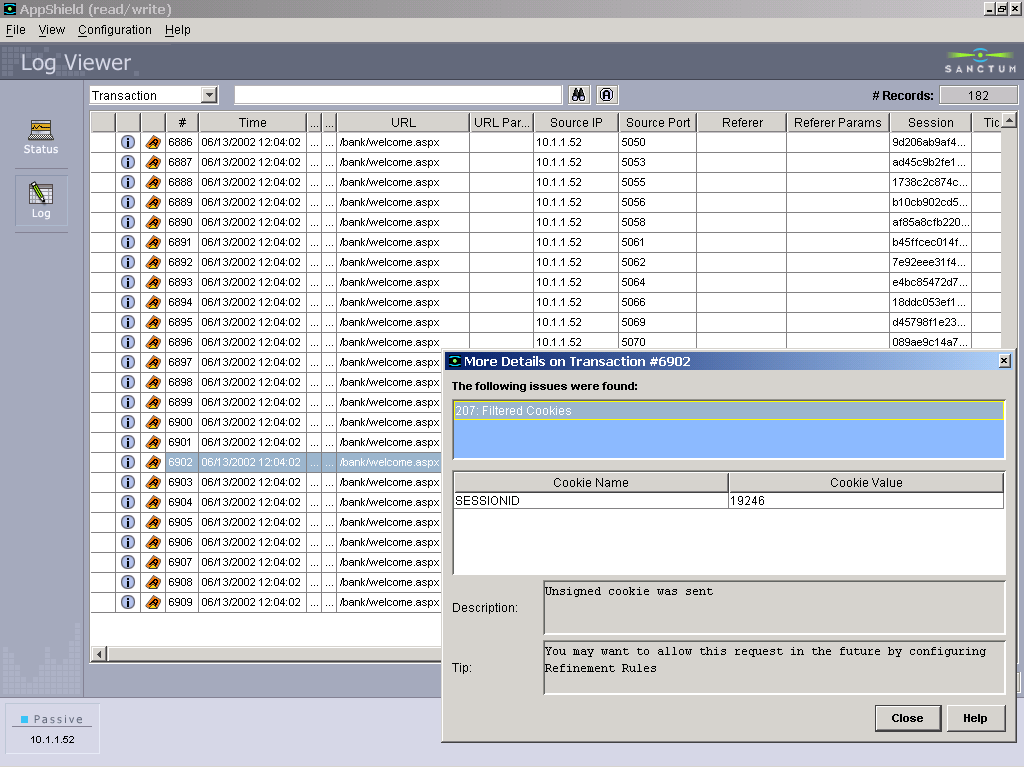
- Example:
- Get initial readout from any available monitoring system and witnesses
- Check system resources
- Check network usage
- Examine the log files
- Track attackers source IP - see
if originated from certain ISP, then…
- Look for additional attacks in this ISP’s IP range
|
|
32
|
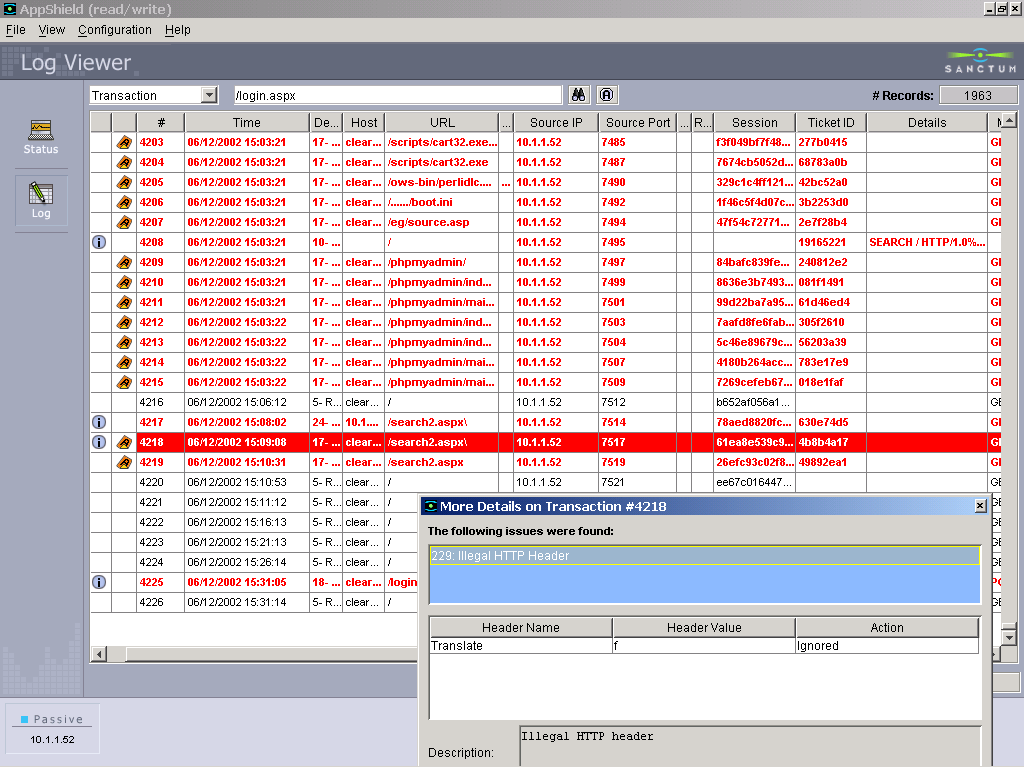
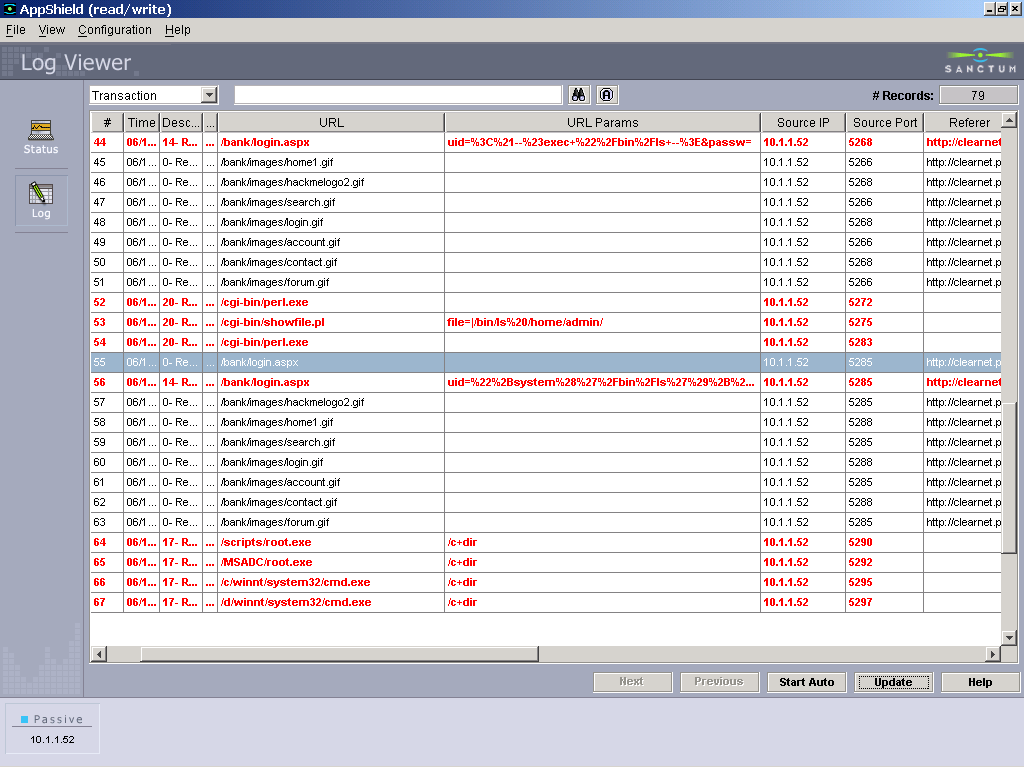
- The Micro - identify single attack transactions
- what is the nature of the
attack,
- aimed at which component
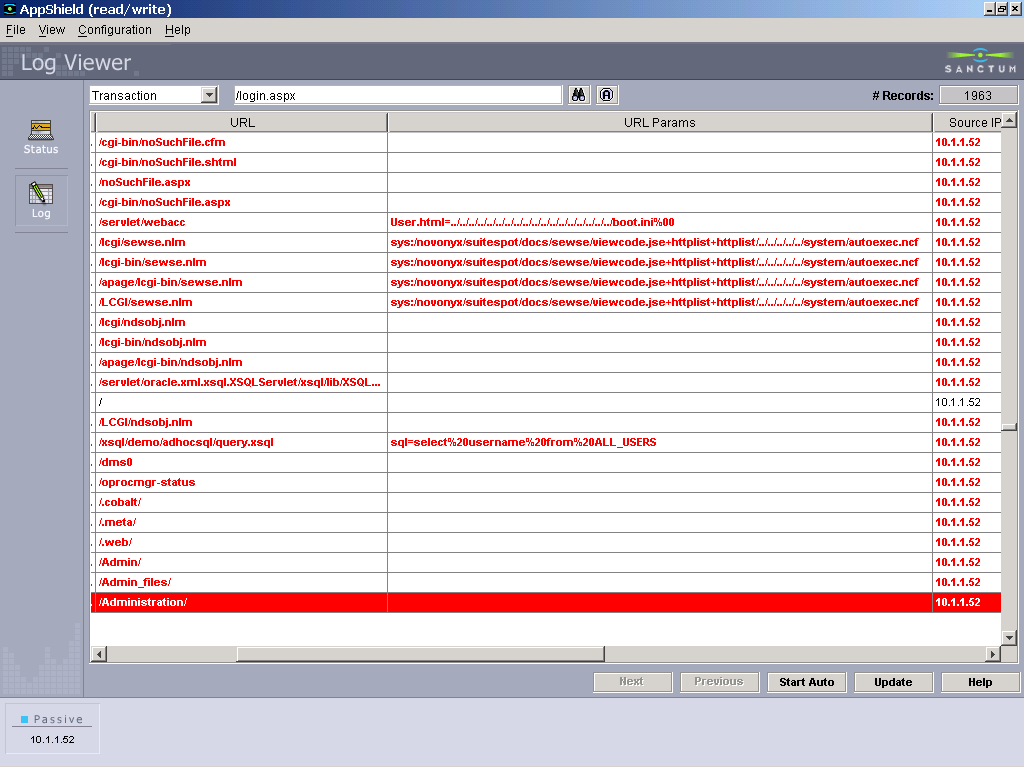
- The Macro - identify patterns, groups of attacks, and the
|
|
33
|
- The Micro
- Analyzing Single Attacks (requests)
|
|
34
|
- POST /cgi-bin/login.pl?id=1234 HTTP/1.1
- Host: www.my.site
- Content-Length: 21
- user=admin&pass=AdMiN
- Attacks can take place in one or more of the following components:
- HTTP headers (+method and protocol designation)
- path component
- request parameters
|
|
35
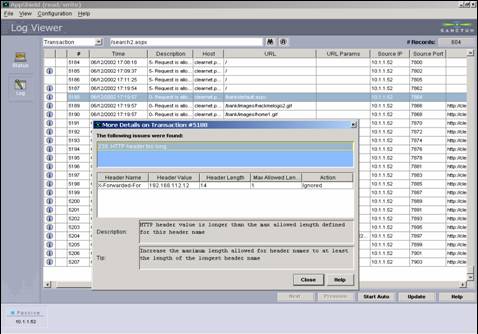
|
- Target of attacks: overflow (DoS) attacks, source disclosure, site
manipulation (using non standard methods – WebDAV)
- Log manifestation:
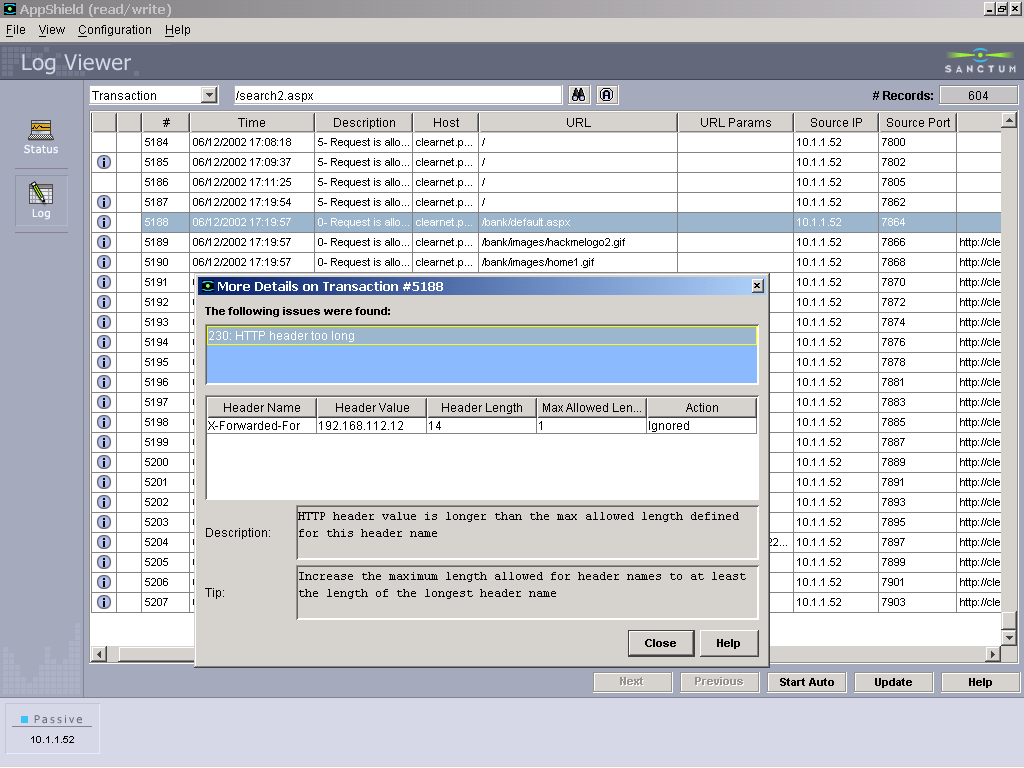
- HTTP header attacks: particularly evasive - seldom logged
- Non-standard methods (not HEAD/GET/POST) – e.g. PUT, DELETE, SEARCH, ...
(logged)
- Non standard header names. Know the standard header names and what
values to expect. Look at RFC 2616 (HTTP/1.1).
- Cookie poisoning – repetitive attempts to feed cookies with invalid
session IDs
- overlong values/non-ASCII characters. Note: usually characters are not
URL-encoded
|
|
36
|
|
|
37
|
- Target of attacks: show source, directory browsing, escape virtual root
(download files, execute scripts), buffer overflow, cross site scripting
- Log manifestation:
- Direct canonization problems - .. and .
- Tricks with \ (for Win32)
- URL encoding - %2e instead of “.”, %70 instead of “p”
- Double encoding - %252e instead of “.”
- UTF-8 overlong/invalid sequences
- Direct/indirect access to scripts/forbidden areas/files
- backup/old extensions
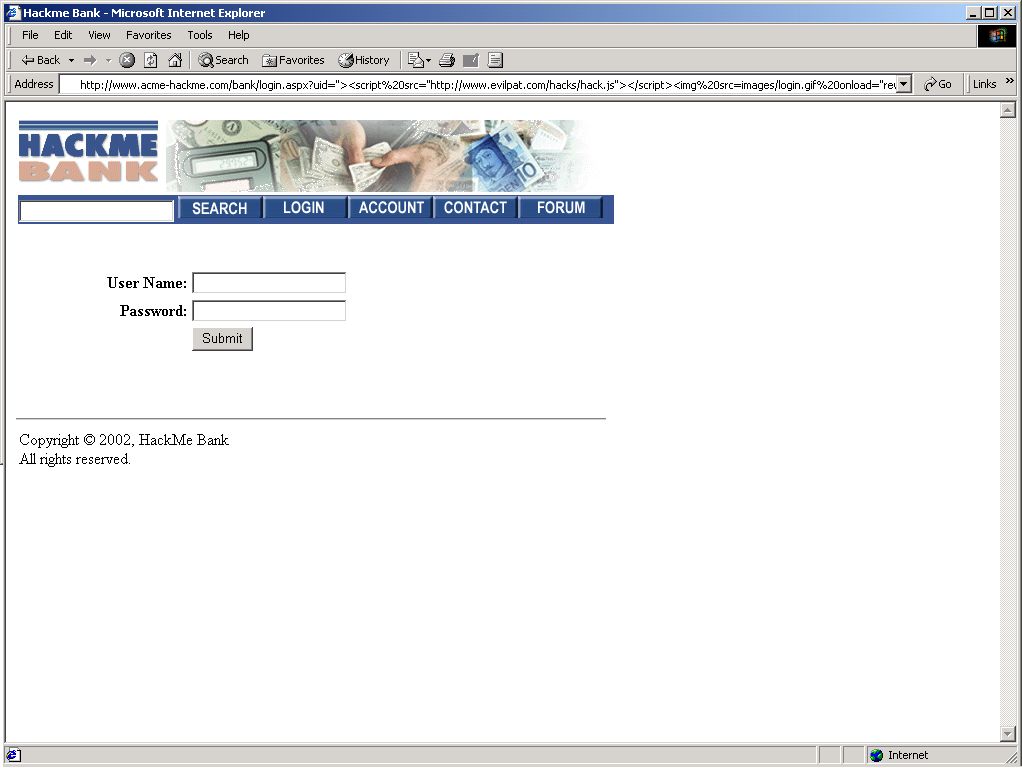
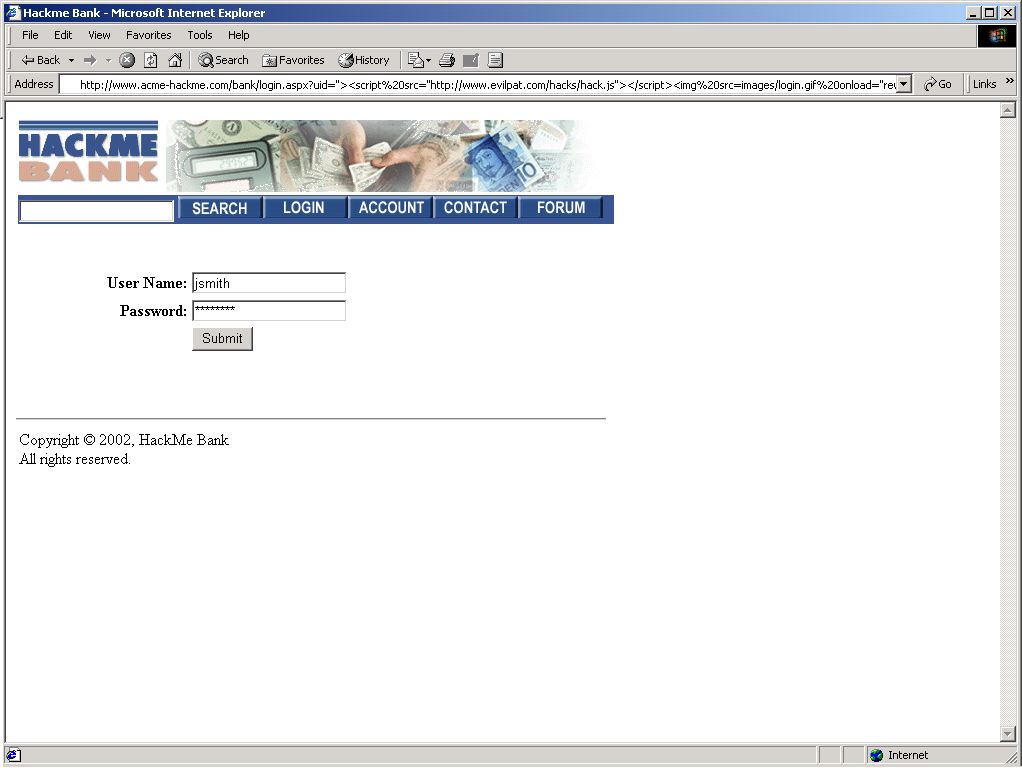
- Cross Site Scripting (<...>)
- Long values (overflow)
- etc etc etc
|
|
38
|
- Target of attack: eShoplifting, access files/sources, remote command
execution, database manipulation, session hijacking, cross site
scripting, etc.
- GET vs. POST
- Log manifestation:
- eShoplifting – hard, locate the nonstandard price
- access files/sources – strange/encoded characters in file name values
- remote command execution – pipe (|) and other hazardous
characters/patterns (e.g. <!-- ...), DoS/Unix shell commands.
- database manipulation – data contains ‘ or “ with SQL fragments
- session hijacking – multiple attempts to change value of session token
- Cross Site Scripting – HTML tags such as <script>... and <img
src=...>
|
|
39
|
- Attack target: all of the above
- Based on infrastructure – not the application
- Targets demo scripts/applications and known vulnerabilities
- Log manifestation:
- Requests for non-application-specific scripts/paths
- Involves path tricks or HTTP header manipulation
|
|
40
|
|
|
41
|
|
|
42
|
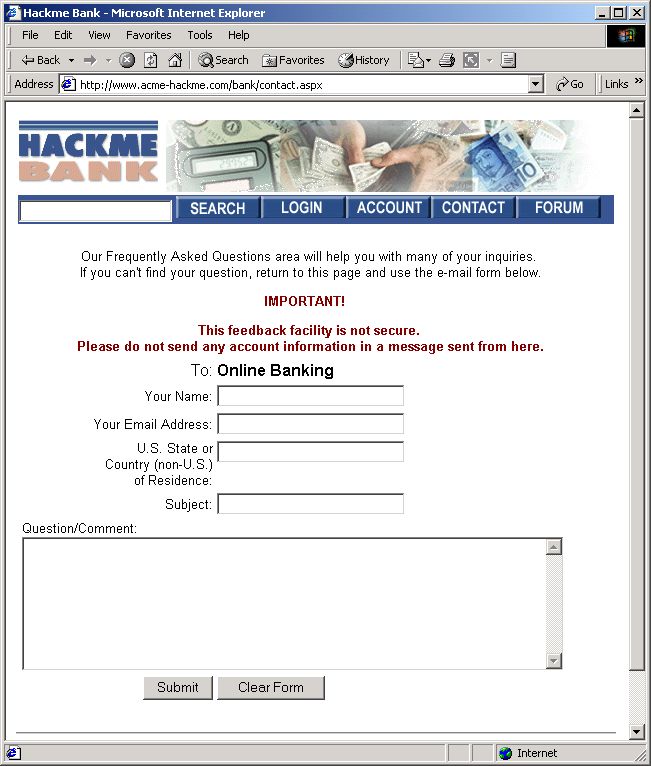
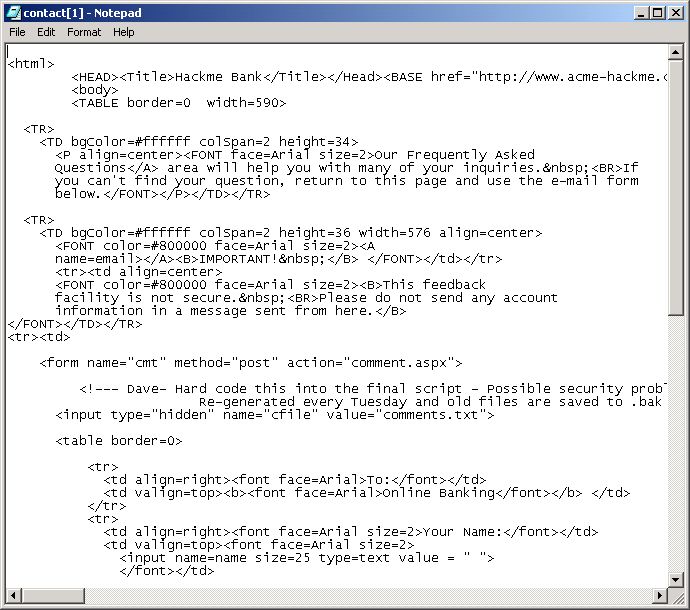
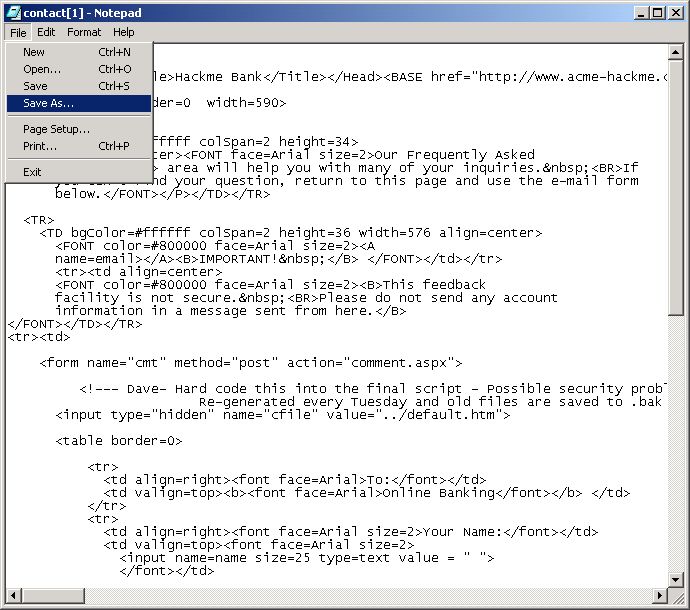
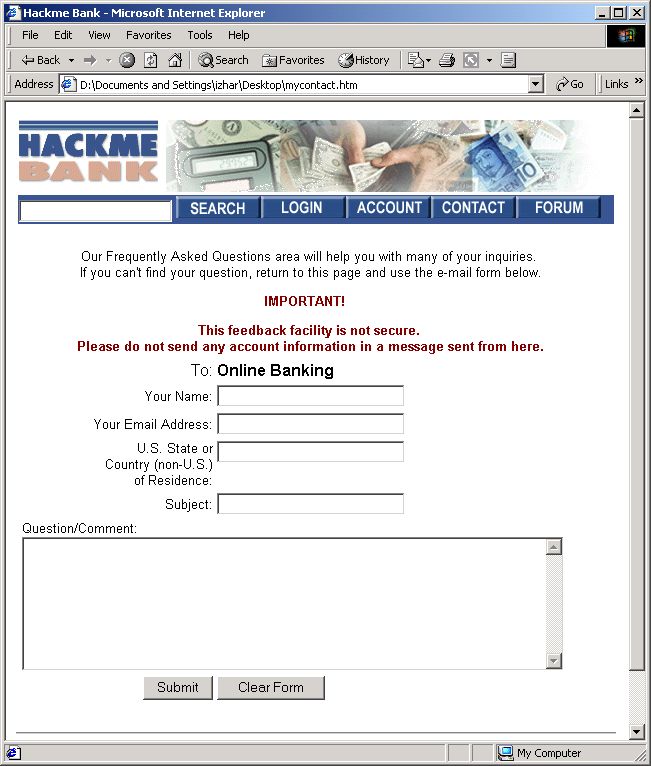
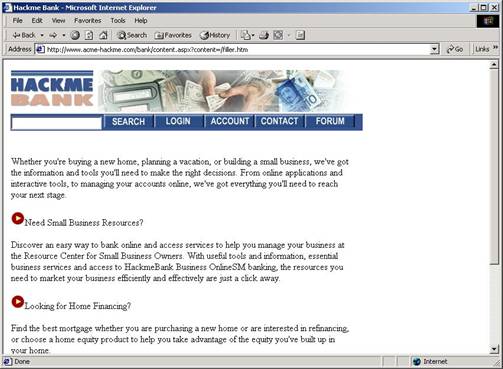
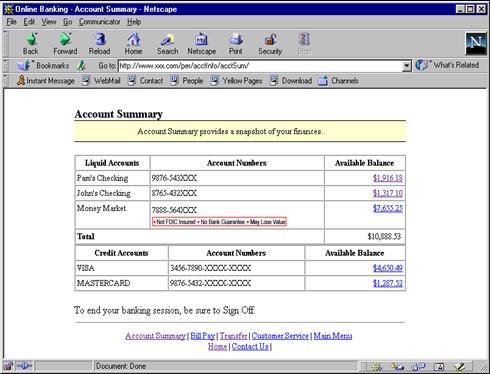
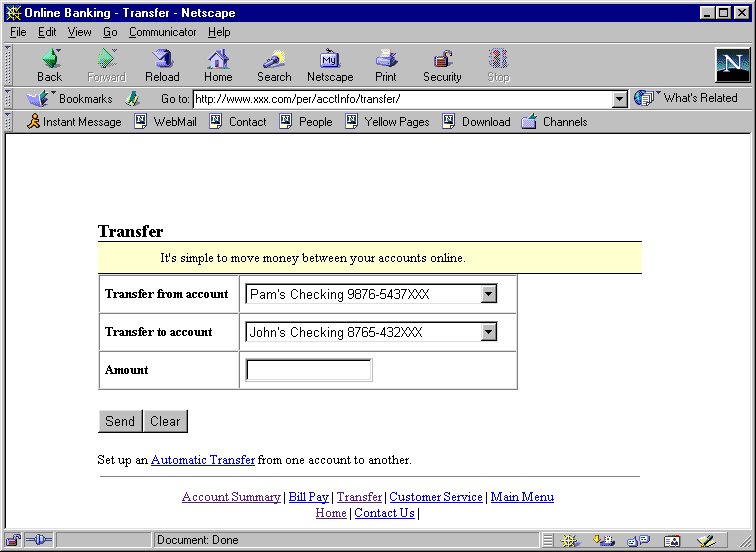
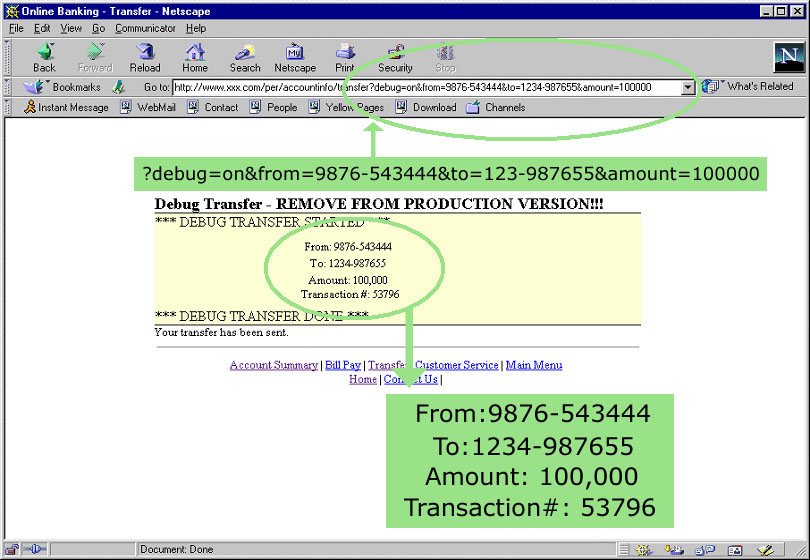
- Change price in eCommerce site
- Hidden price parameter can be changed
- Hard to detect in logs –compare price to original, use HTTP referer
- Variations: not limited to eShoplifting
- Changing hidden values can undermine application
- Example: SQL injections, CSS, remote command execution, overflow/DoS,
session hijacking, file read/write
|
|
43
|
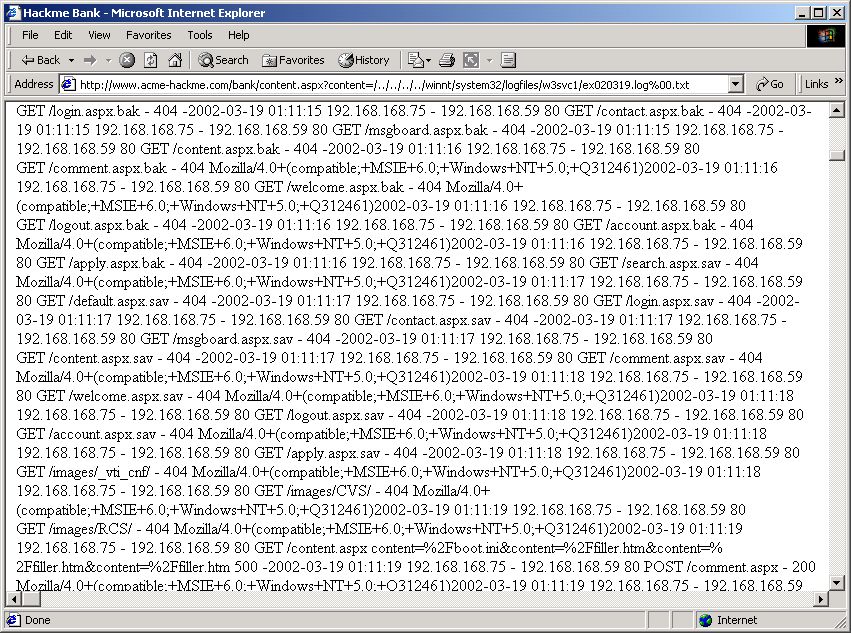
- Target: write to/read from file on web server
- How: change hidden file name in parameter value
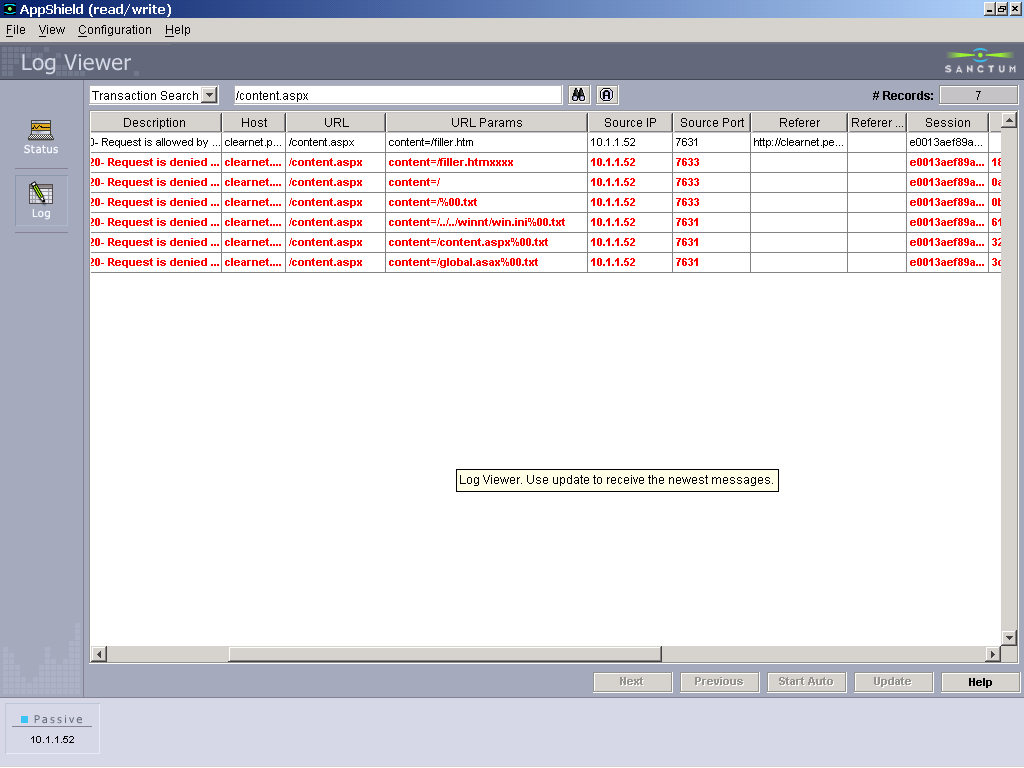
- Log manifestation: all tricks for “..”, null byte, absolute path,
missing Referer
- Variations:
- file=/etc/passwd
- file=../../../../../../etc/passwd
- file=../../../../../../etc/passwd%00.tmplt
- file=%c0%ae.\boot.ini
- file=/etc/passwd(00).tmplt
- ... (we’ll see more in advanced
topics)
- False alarms: not likely (unless application uses .. itself)
- Examples:
- File download (file read) – next 2 slides
- Defacement using hidden file parameter (file write)
|
|
44
|
|
|
45
|
|
|
46
|
|
|
47
|
|
|
48
|
|
|
49
|
|
|
50
|
|
|
51
|
|
|
52
|
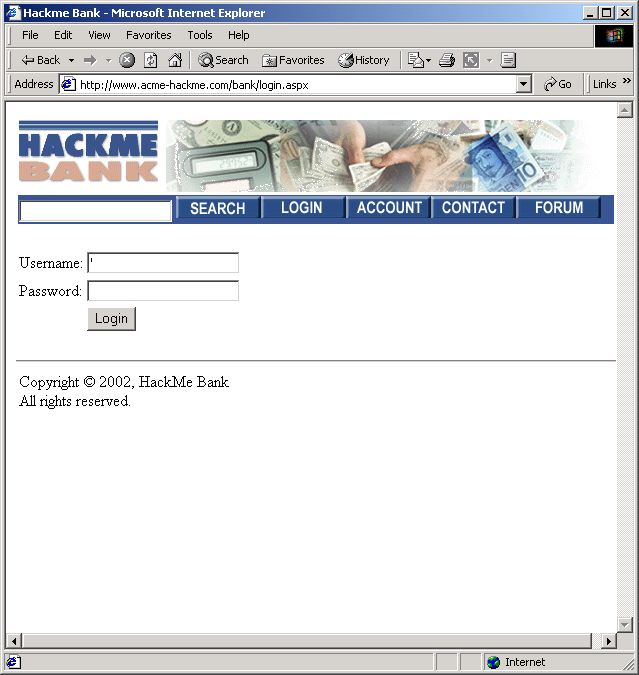
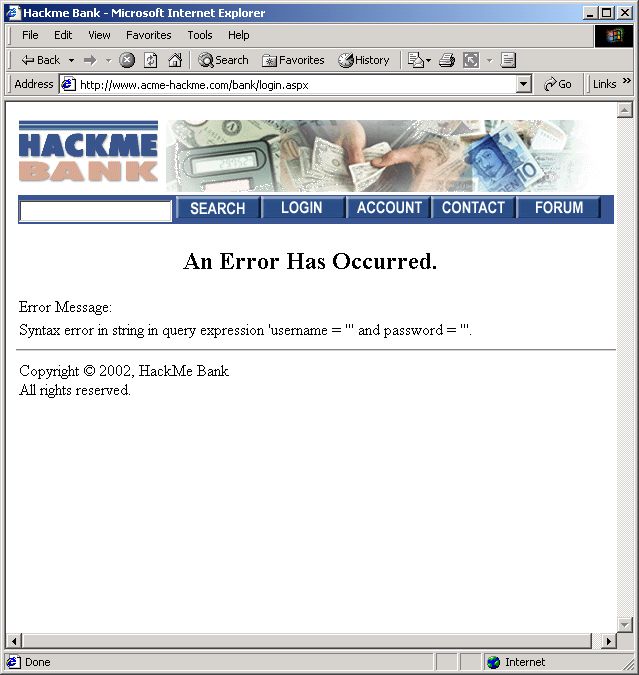
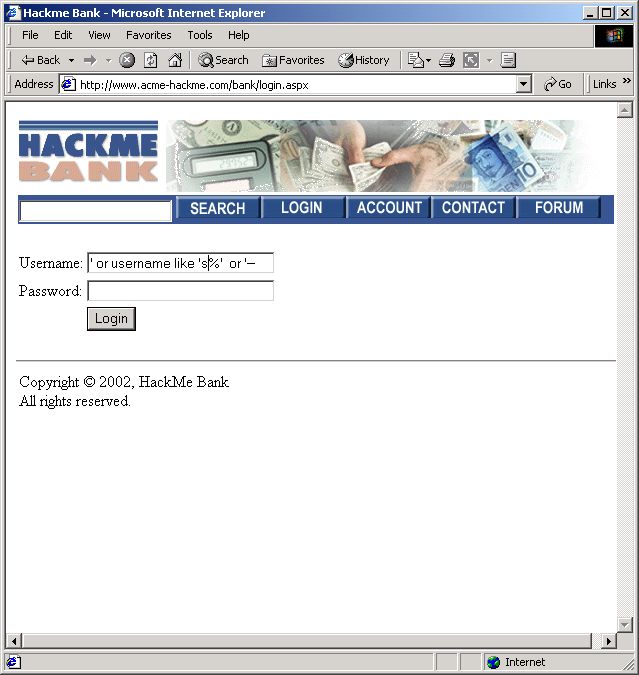
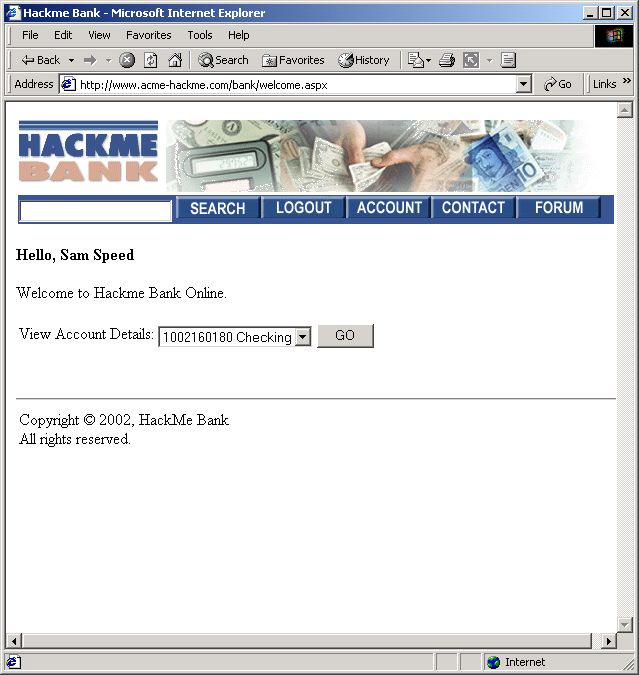
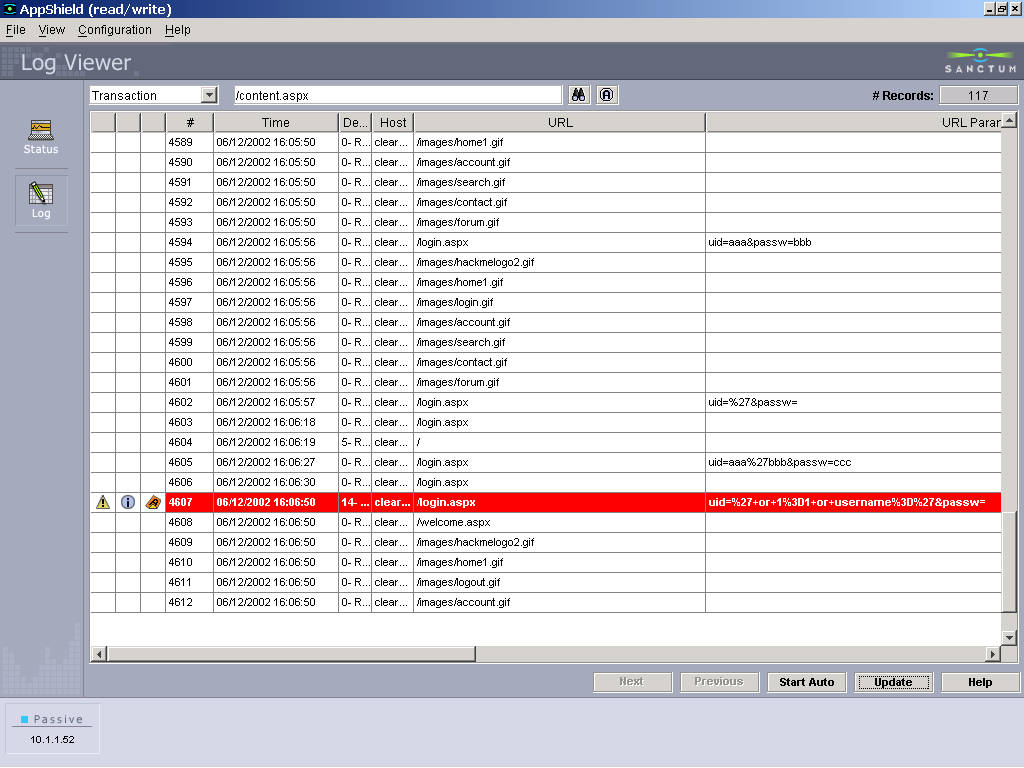
- Target: SQL injection – database manipulation
- How: Modifying semantics of underlying SQL query
- Log manifestation – parameter value containing ‘ (or “) followed by SQL
query fragments:
- ‘ or 1=1 or ‘
- foobar ‘ or username like ‘%s’ –
- ‘ – (CR) select * from tab
- ‘ ; delete users ;
- Testing and understanding causes a lot of (syntax) errors – watch for
“500” responses and database errors.
- ‘ (testing application response)
- Variants: innumerable
- False alarms: sometimes a ‘ is just a ‘ (isn’t it?)
|
|
53
|
|
|
54
|
|
|
55
|
|
|
56
|
|
|
57
|
|
|
58
|
|
|
59
|
|
|
60
|
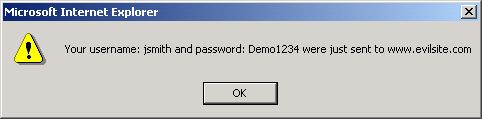
- Target: steal client cookies, impersonate/session hijacking, loss of
privacy
- How: Usually in parameter values, sometimes in path, and even in Referer
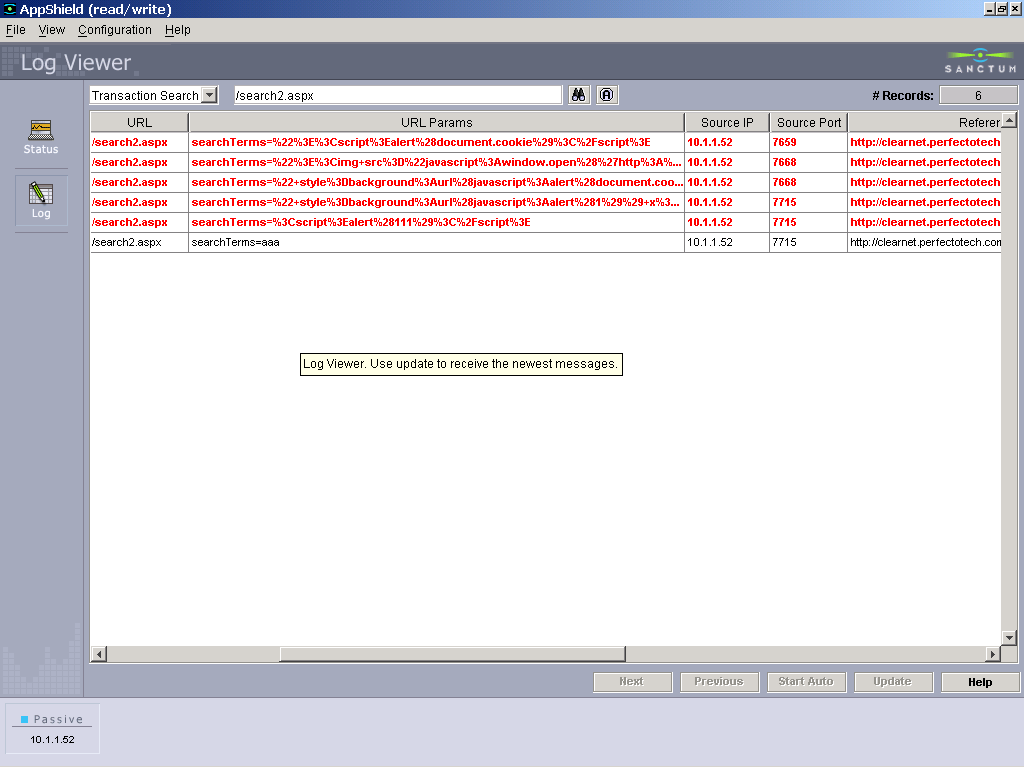
- Log manifestation: HTML tags in path/parameter value/Referer
- Variations:
- <script>...</script>
- <TAG ... javascript:...>
(TAG=IMG, DIV, ...)
- <TAG ... &#nnn ... &#xHH ...>
- “> (or ‘>) followed by above
- “ style=background:url(javascript:...)
- “ onerror=...
- etc. etc. etc.
- False alarms: not likely
|
|
61
|
|
|
62
|
|
|
63
|
|
|
64
|
|
|
65
|
|
|
66
|
- Target: all of the above
- How: exploit web server/application server vulnerability, regardless of
specific application deployed
- Log manifestation (path):
- non application paths (or path fragments) – e.g. /bin/, winnt,
system32, _vti_bin, _prvivate, shtml.exe
- non application files (especially executables) - e.g. cmd.exe,
perl.exe, sh, application.cfm, global.asa, nph-test-cgi, test-cgi,
showcode.asp
- weird (and uncommon) extensions – idq, ida, htw
- Encoding tricks
- False alarms: unlikely
|
|
67
|
- Target: obtain source script (access to application logic, and goodies)
- How: exploit web/app server vulnerabilities in path, to reveal
application (specific) script
- Log Manifestation:
- Request for “similar” but not identical resource to script in site –
not THE script
- False Alarm: not likely
|
|
68
|
- Proxy servers can forward the client IP (in HTTP headers)
- Typical headers:
- Client-IP
- X-Forwarded-For
- customizable
|
|
69
|
|
|
70
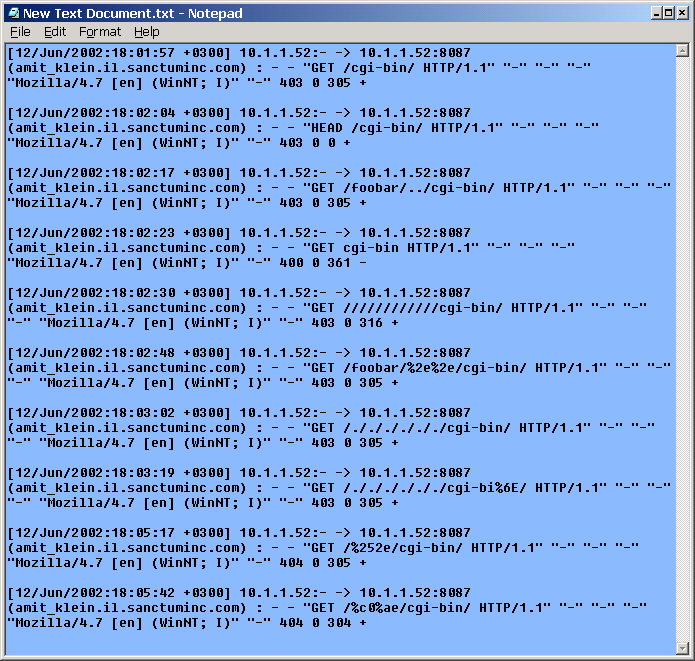
|
- Not just anti-IDS – also anti-proxy, anti-app-firewall, etc.
- Using HTTP ‘HEAD’ method instead of ‘GET’
- URL Encoding the attack
- Using double slashes (//cgi-bin//script) – old technique
- Reverse traversing attacks /cgi-bin/blabla/../script.pl
- Self reference directories: /cgi-bin/./././script.pl
- Premature request ending : GET Premature request ending : GET
/%20HTTP/1.0%0d%0aHeader:%20/../../cgi-bin/some.cgi HTTP/1.0\r\n\r\n
- Hiding as parameters (encoding the ‘?’)
|
|
71
|
- URL Forceful Browsing attempts on
“samples/admin”
- Variations on a theme:
- Absolute Pathing: “samples/admin”
- Delimiter Padding: “samples///admin”
- Relative Pathing: “samples/./admin“
- URL Encoding: "%2fsamples/admin“
- Path Traversal: “samples/fakedir/../admin“
- DOS Syntax: “samples\admin”
- tripe dots “samples/fakedir/.../admin”
- Null Method: "GET%00/samples/admin“
|
|
72
|
|
|
73
|
- What is a dot?
- Double dot sequences are recognized and rejected (by web server, IDS,
application).
- A dot is a dot, e.g. /app/../admin/shutdown
- URL encoded, it is /app/%2e%2e/admin/shutdown
- IIS extension: /app/%u002e%u002e/admin/shutdown
- Double encoded: /app/%252e%252e/admin/shutdown
- UTF-8 overlong (2 bytes), un-URL-encoded:
- /app/(C0)(AE)(C0)(AE)/admin/shutdown
- UTF-8 overlong (2bytes), URL-encoded:
- /app/%c0%ae%c0%ae/admin/shutdown
|
|
74
|
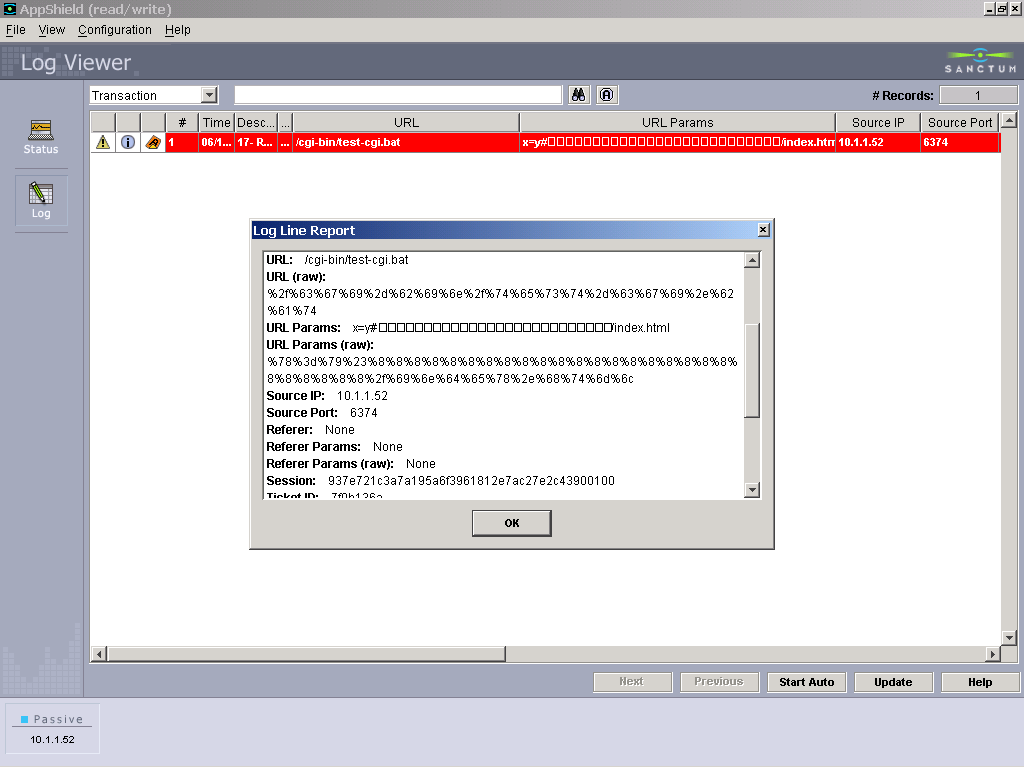
- Carefully crafted messages can fool the human eye
- May be used to frame the innocent, or to hide the nature of the attack
- Uses CR, LF, BS characters
- Example: hiding the true nature of the request in Apache log:
- /cgi-bin/test-cgi.bat?x=y# (BS) ... (BS) /index.html
|
|
75
|
|
|
76
|
|
|
77
|
- Reducing false positives by knowing the application flow
- HTTP Referer (flow)
- Hacker “style”
- Correlate with other sessions and other attack vectors
|
|
78
|
- You notice that your Web
pages are defaced or an increase in network load on servers
- Monitor your network
- Notice infected machines scanning for new machines. Keep NW logs!
- Follow source IP addresses of scanners
- Resolve IP to names and locations - they all seem to be Web servers
- Monitor your Web servers and logs
- Unrecognized processes, very high thread count
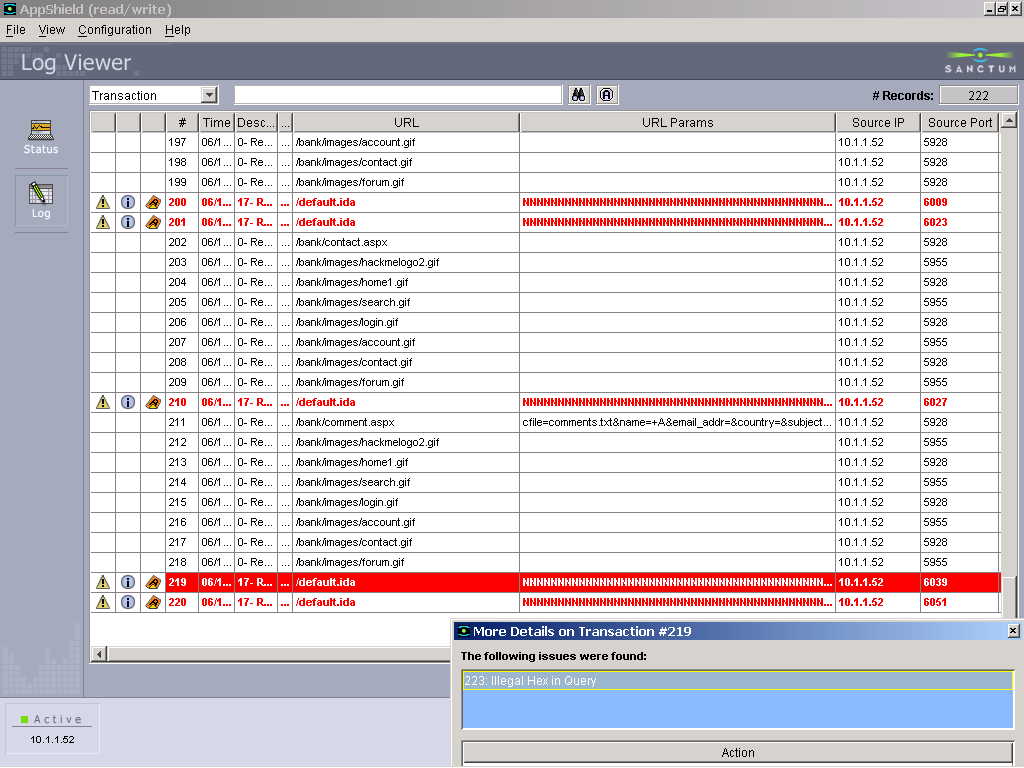
- Many suspicious requests to index server – looks like Code Red or Code
Red II
- Find what is infected or vulnerable
- Take appropriate measures to stop the spread or repair infected hosts
- Clean infected machines, apply patches to the IIS
|
|
79
|
|
|
80
|
|
|
81
|
- "Corporate criminals DON'T ALWAYS tell the truth. Their computers,
however, usually do."
- -THOMAS TALLEUR,
- MANAGING DIRECTOR OF FORENSIC TECHNOLOGY SERVICES, KPMG
|
|
82
|
- Where to find more material on forensics:
- SANS Information Security Reading Room,
- http://rr.sans.org/
- PacketStorm,
- http://packetstormsecurity.org/
- Rain Forest Puppy’s site,
- http://www.wiretrip.net/rfp/
- Security Focus Library,
- http://online.securityfocus.com/library/
- SecuriTeam,
- http://www. securiteam.com/
- U.S. Deptartment of Justice CyberCrime page, http://www.usdoj.gov/criminal/cybercrime
- CGI Security’s “fingerprinting port 80” papers,
- http://www.cgisecurity.net/papers/
|
|
83
|
|
|
84
|
|

 Notes
Notes